
How Can You See a Painting on Your Wall Before You Buy It Online?
Why "Will It Actually Look Right on My Wall" Is the #1 Hesitation
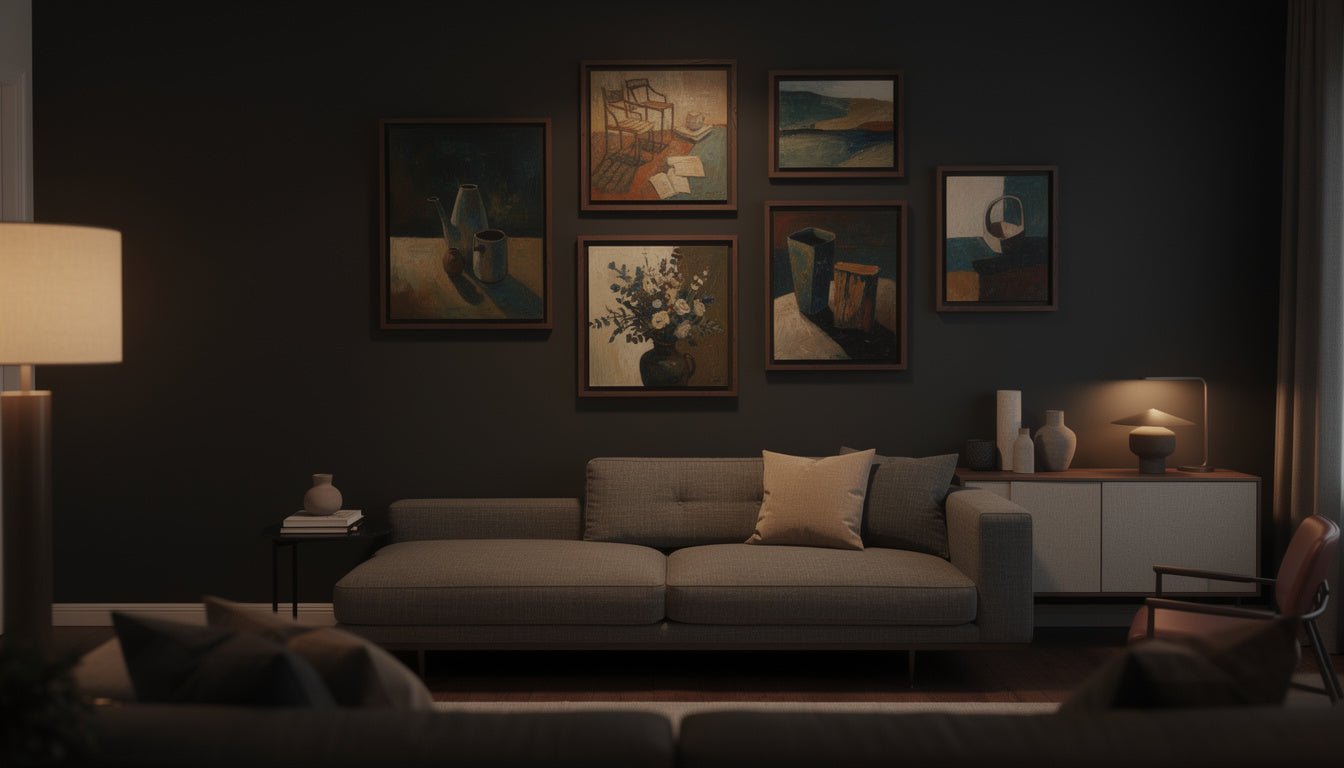
Buying original art online solves the discovery problem — you can browse thousands of pieces instead of whatever happens to be on a gallery wall near you — but it introduces a different problem: you can't stand in front of the actual canvas before you commit. Photos on a product page show the painting beautifully lit and perfectly framed, but they don't answer the two questions that actually matter: is this the right size for my wall, and does it really work with my room the way it looks in the photo?
This is exactly why "room visualizer" tools have become a real feature people search for by name before choosing where to buy — not a nice-to-have, but a genuine purchase-confidence tool for anything that has to be sized and placed correctly in someone's home.
How Rossetti Art's Live Preview Tool Works
Every original painting and canvas print product page on Rossetti Art has a "Preview It In Your Space" button. Here's what happens when you use it:
- Upload a photo of your own room — the actual wall where the piece would hang, taken from wherever you'd normally stand or sit.
- The painting is placed on your wall at its true, correct size for whichever size option you've selected — not a generic mockup, your actual room.
- Compare sizes and finishes instantly — switch between size options or framing (rolled, stretched, framed) and see how each one changes the way it fills the wall.
- No app download and no account needed — it works directly in the browser on the product page, on both desktop and mobile.

What a Good Room Visualizer Should Actually Do
Not every "preview" feature on an art website is equally useful. A few things worth checking on any site before you rely on one:
- True-to-scale sizing — the piece should be shown at its actual physical dimensions for the size you've selected, not a rough visual approximation.
- Your own room, not a generic mockup — a preview using a stock living room photo tells you almost nothing about your specific wall, lighting, and furniture.
- Works per size and per finishing option — a rolled canvas, a stretched canvas, and a framed piece all occupy the wall slightly differently; a useful tool lets you compare them.
- Fast and code-free — if it requires downloading a separate app or creating an account just to preview one painting, most buyers will simply skip it.
Live Preview vs. Guessing With a Tape Measure and Painter's Tape
The traditional way to check if a piece will fit is to tape off the dimensions on your wall with painter's tape and stand back to look. It works, but it's slow, doesn't show you the actual artwork's colors and texture against your wall color, and most people skip the step entirely and just hope for the best — which is exactly how "it looked bigger in the photos" disappointment happens.
A photo-based room visualizer solves the same problem in seconds: you see the real painting, at real scale, against your real wall, without any tape or measuring at all. It's the same confidence check, done properly, before the piece is even made.

Shop the Bestseller Original Paintings collection →
Previewing Different Sizes and Finishes Before You Decide
Because Rossetti Art's original paintings come in multiple sizes and finishing tiers — rolled, hand-stretched, or framed in black, white, or PVC floater frame — the Live Preview tool is especially useful for comparing options rather than just confirming one choice. A 20"×20" rolled canvas and the same painting at 28"×20" framed in oak can look meaningfully different on the same wall, and previewing both before ordering removes the guesswork of choosing between them from a size chart alone.
This matters most for statement-sized pieces (24"×36" and above), where getting the scale wrong is the costliest mistake to make — and easiest one to avoid with a quick preview first.
A Simple Way to Use It Before You Buy
- Take a clear, well-lit photo of your wall — straight-on, from where you'd normally view the piece.
- Open the product page for the painting you're considering and click "Preview It In Your Space."
- Upload your photo and let the tool place the painting at its true size.
- Try more than one size if you're between two options — this is exactly what the tool is for.
- Compare finishing tiers (rolled vs. stretched vs. framed) if you're undecided, since framing changes how much wall space the piece visually occupies.
Frequently Asked Questions
How do I see what a painting will look like on my wall before buying?
On any Rossetti Art product page, click "Preview It In Your Space," upload a photo of your wall, and the painting will be placed on it at its true size for the option you've selected — no app download or account needed.
Do I need to download an app to use the Live Preview tool?
No — it works directly in your browser on the product page, on both desktop and mobile.
Can I preview more than one size of the same painting?
Yes — switch between the available size and finishing options (rolled, stretched, framed) and preview each one on your uploaded photo before deciding.
Is the room preview accurate to the real size of the painting?
Yes — the tool places the piece at its true physical dimensions for the size you've selected, which is the main reason to use it instead of trying to judge scale from product photos alone.
Does the Live Preview tool work for original paintings and canvas prints, or just one product type?
It's available across Rossetti Art's original paintings and canvas prints, so you can use the same process regardless of which product type you're comparing.
Browse original paintings from $120 →
Keep Reading
- How to Choose the Right Canvas Print Size for Your Space
- How Can You Buy Affordable Original Art That Still Feels Gallery-Quality?
- Shop the Original Paintings Collection

About the Author
Chiara Rossetti
Chiara Rossetti is the founder of Rossetti Art, a canvas print and original art brand. She writes about interior design, wall art styling, and the art of making a home feel alive.


Leave a comment
This site is protected by hCaptcha and the hCaptcha Privacy Policy and Terms of Service apply.